Scheduled updates: Tuesdays at 2pm Eastern. Your work auto-saves as you go.

News

What's new in HARES — newest updates first.

September 08, 2026 Update

September 8 Update

The HARES app is on the App Store

  • HARES Registry is live for iPhone and iPad, free. It has been in testing for weeks and went public on September 3rd. Search the App Store for HARES Registry, or open haresregistry.com on your phone and the link is on the site.
  • Barn Mode is the reason to have it. Barns eat cell service, and so do show halls and fairgrounds. In the app you can weigh a kit, record a litter, sell a rabbit and take photos with no bars at all, and every bit of it sends itself the moment you're back in service.
  • Pages you've already opened stay readable with no signal, photos and all, and they still look like HARES rather than a browser error.
  • It tells you the truth about what it can and can't do. A page you haven't opened says so plainly instead of failing; anything that genuinely needs signal is marked; and the hub says in plain English what's still waiting to send.
  • Anything waiting sends itself when signal comes back — you don't have to remember to go back and do it.
  • Your settings come with you — weight units, which rabbitry you're filing under, and dark mode all match the website.
  • The app can send you notifications, and you choose which under your notification settings.
  • There are guides for both under Info & Guides — one for the app, one for Barn Mode — and both print.

Find a show

  • There's a public directory of shows at last. Search it, filter by state or species, and see which shows take entries through HARES without going through My Herd first.
  • There's a map. Shows near you, colour-coded so the ones you can enter through HARES stand out, with search and a species filter. Shows at the same town no longer hide behind each other.
  • Anyone can add a show to the map — it only needs a free breeder account, and the show name, city, state and date. Each one is checked by hand before it appears, and whoever added it hears back either way.
  • In the list — not the map — shows stay visible after their entry deadline, marked closed, instead of vanishing the moment entries shut. There's a past-shows window too. The map itself only carries what's still to come.
  • Secretaries can keep a show off the map — it's a tick box when you set the show up.

Entering a show that isn't on HARES

  • You can print an entry list to email. Pick your animals from your herd as you normally would, then choose "Show not on HARES?" at the top of the show list. Type the show's name, its date, and what it calls its shows — Open A, Youth B, a specialty, whatever they run — and tick which ones each animal goes in.
  • HARES works out every class for you. The sheet carries your name, address, phone and email, then each animal's ear number, breed, variety, class and shows, on one page.

Your herd

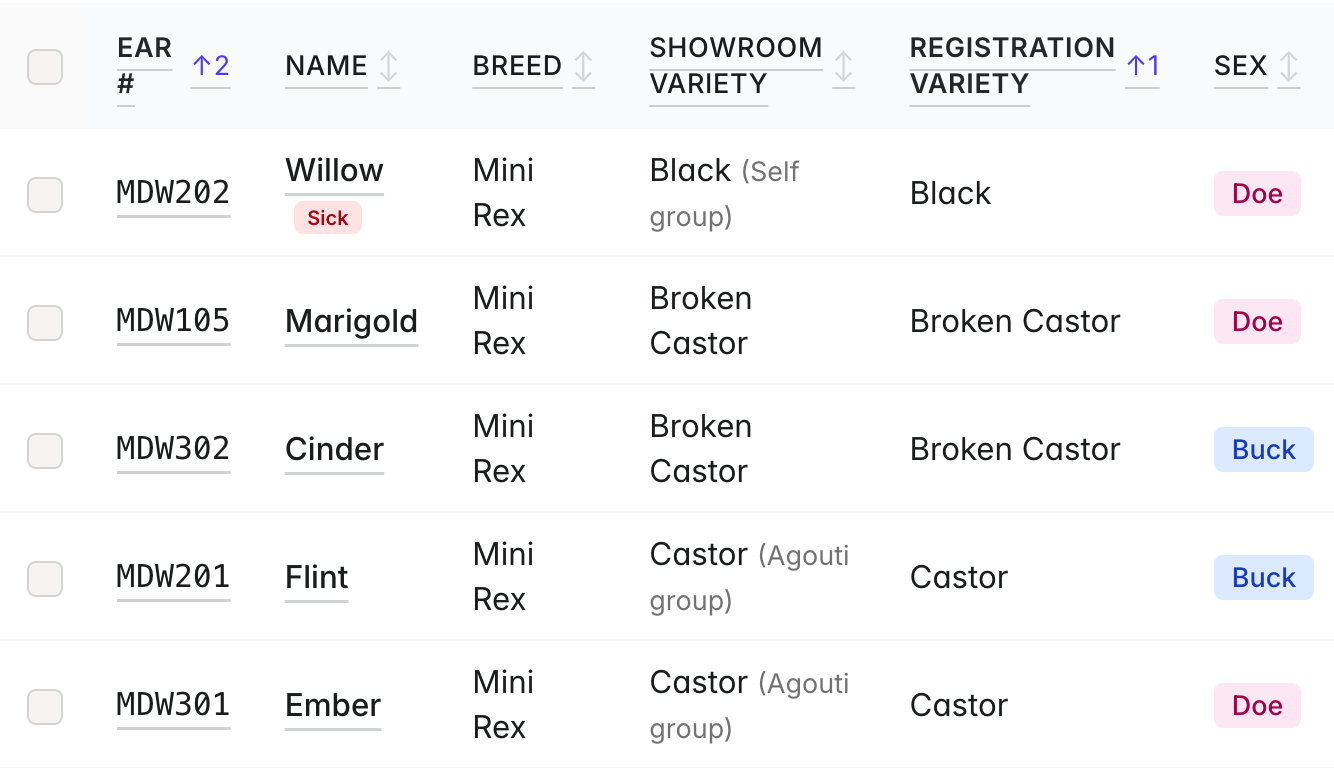
  • A colour that can't be shown is no longer a dead end. Pick "Not showable" at the bottom of the Showroom Variety list and the animal saves like any other. It stays in your herd and shows up everywhere as normal, and it just can't be entered in a show. The words "Not showable" never appear on a pedigree — the certificate prints the registration variety instead, so put the colour's real name there.
  • You can rename an animal after you've sold it, for when the new owner gives it a different name. Everything else about the record stays locked.
  • Weigh an animal without marking it processed. There's a Save weights button on both processing forms, so you can weigh ten in a row and come back to process them, instead of leaving a browser tab open. A bulk processing no longer wipes a weight you saved beforehand.
  • Cull or mark deceased a whole checked set at once, with one date and reason. Animals already locked are skipped.
  • Himi joins the gene carriers.
  • Registration # and GC # can go on the herd list and on cage cards — tick boxes in the column picker and under Settings, off by default.
  • Replacing an animal's headline photo keeps the old one in the gallery instead of destroying it, so you can change your mind. And a rabbit's photos can be deleted now — before this they could only be added to.
  • Selling a grow-out sends you back to the herd, not to the litter it was born in.
  • There's a Save button at the top of the rabbit form as well as the bottom.
  • Cull and death reasons suggest what you actually use, and the reports say plainly what you're losing animals to.

Grand Champion progress

  • A new report on the Reports tab shows every animal within reach of Grand Champion, what it still needs, and what's already banked.
  • The badge can be switched off if you don't want it, and it now updates the moment you change an animal rather than waiting out a cache.
  • The herd list and the animal's own page agree about whether something still needs registering with ARBA.

Pedigrees

  • They're markedly easier to read. The type now scales to the box it sits in — names and details on the first three generations are close to twice the size they were. Great-grandparents give up their leg detail to earn the same room.
  • The photo is a tick box, and it no longer squeezes the family tree to make space for itself. Photos are also a full inch and no longer stretched out of shape.
  • The print button is gone from both pedigree pages — use the PDF, which is the one that lays out correctly.

Memberships

  • You can hold more than one ARBA membership. There was only ever one box, which is no use to a household keeping more than one person's. Both ARBA and breed-club memberships are now a list, each with a name on it, and the renewal reminder in your weekly digest names whose is due.

For show secretaries

  • A fair's entry spreadsheet can be brought straight in. Upload the file, see exactly what HARES read out of it and what it couldn't, match their groupings to your sub-shows, then bring the entries in — and take them back out again if it isn't right. Nothing is written until you say so. Adults sitting in a youth show get flagged, and you can hand the fair back their own file with your numbers in it.
  • Entry pricing asks once. Set a show up and it asks how you price entries — one price, or discounts by number of entries or number of shows — instead of demanding nine numbers before you can save.
  • Portal links you can read down the phone. A show now carries a short code alongside its link. Every old link still works.
  • Blank control sheets to fill in by hand — under Print on the show page. Choose how many sheets and how many lines. For a class that turns up on the day, a spare when one gets ruined, or a show you're not running through HARES.
  • Choose how exhibitors are listed — by last name or by exhibitor number — under Show Defaults. It applies to the Exhibitors tab, exhibitor reports, check-in sheets, the fees report, the exhibitor list and a sub-show's Entries tab, which previously disagreed with each other. Note: the Entries tab now starts alphabetical; set this to "Exhibitor number" if you preferred it the old way.
  • A control sheet's second page says which colour it belongs to, so a sheet that falls out of the folder can find its way home. Column headings repeat too when a big class runs over.
  • Cavy sub-shows stop offering meat classes.
  • The portal says when it's waiting for a sub-show to be added rather than sitting there looking broken.

Notifications and your account

  • You can delete a notification, and it asks first.
  • Deleting anything says what it costs before you do it, and where it can't be undone it asks you to type the word.
  • There's a public page explaining how to close your account and exactly what's deleted and what's kept.

Smaller things

  • The duplicate finder is much better at its job. It lists the animals it says it's listing, finds the real pair hidden inside a crowd of animals sharing one value, and lets you say "these aren't duplicates" and be done. A shared tattoo is no longer assumed to be a bad import.
  • A rabbit's placings read in the order the shows run, not the order the results happened to be entered.

As always, thanks for using HARES. Reply to any HARES email if something looks off.
September 01, 2026 Update

September 1 Update

Exhibition breeds and colours

  • Six breeds and twenty-one colours are now real options in the dropdowns, each marked (Exhibition). They show and are judged like anything else, but they earn no legs and win nothing — an amber note says so on the screen as soon as one is picked.
  • Exhibition colours print last on the class sheets. You pick one in its ordinary alphabetical place, but it comes off the printer at the end, because that's when it's judged.
  • Your herd still takes any breed you type. It's your record of your own animals, and plenty of real ones aren't ARBA breeds. What's new is that an animal whose breed ARBA doesn't recognize can't be entered into a show — the picker still lists it, but the box won't tick and it says why.
  • The free-text colour box has come off the portal, herd records, herd submissions and pedigree ancestors. Anything you have already saved is untouched: a colour that isn't on its breed's list now appears as its own option, marked "not a recognized colour", still selected. Opening that rabbit and saving it will not change it.
  • Show secretaries keep their write-in on their own screens, so a fun show can still run fun colours.

Entering for your children, or anyone else

  • The review screen names the person you entered for, not the person signed in. If you entered yourself first and then used "Enter for someone else", the review page showed your own name over your child's entries.
  • Correcting a name corrects the right person. Opening a child's entries and fixing a spelling used to rename the account holder instead, and leave the child's name as it was.
  • "Withdraw All" withdraws only the person whose card you clicked. It previously removed every exhibitor on the login — a parent tidying up one child's entries could take the whole family's out of the show. It is permanent, so the confirmation now names whose entries are going.
  • "Add more (same person)" and "Edit my info" open the right exhibitor now, wherever you reach them from.
  • Herd entries can be corrected as long as portal entries can. Submitting from My Herd used to mean withdrawing and resubmitting to fix an approved entry, while the same fix through the portal was allowed. Both now follow one rule: is the show still taking entries.

Jersey Wooly joins the 3½ Pound and Under Specialty

  • Effective today, per ARBA. Sweepstakes and specialty awards pick it up automatically — nothing for you to change.

Double-sided printing on check-in sheets

  • Check-in sheets can print double-sided, and every exhibitor still starts on a front side, so nobody's sheet begins on the back of somebody else's.
  • Control sheets stay single-sided by design, and judge sheets and writer QR codes never print double-sided — each of those is its own page.
  • The fee total no longer strands itself alone on a final page.

Pedigrees

  • Colour the boxes by sex, or in your rabbitry colour, whichever you prefer.
  • The BUCK / DOE badge stays readable in rabbitry-colour mode.
  • Vienna joins the gene-carrier checkboxes.

Your account and your animals

  • An account holding shows or a herd can no longer be hard-deleted. The Delete button now refuses, in plain English, and names where to write if you genuinely want the account closed.
  • Transfers allow only one live offer per rabbit at a time, and several related gaps are closed. Deleting a transfer no longer takes down your whole notification bell.
  • The herd editor stops offering to edit or delete animals it can't actually show you, and a sold or culled animal no longer slips past the guard.
  • A rabbit marked sold with no sale recorded is no longer locked forever. The 30-day window works as intended, and Cancel sale is a real button in the banner.

Imports

  • BEW and REW shorthand and hyphenated colours now derive to the right variety instead of landing blank.
  • Mini Rex gains its missing Blue Eyed White.

For show secretaries

  • Sanctions fill the shared fields down from the first row instead of making you retype them.
  • The superintendent share link no longer clips at the edge of the box, and there's a Copy button.

Smaller things

  • Print screens no longer leak stray comment text onto the page.
  • Dark mode fixes three places where text vanished against its background.
  • Date entry tolerates a day of clock difference between your phone and your account, instead of refusing a date that's correct where you are.
  • Emails say where a correction should go, since replies don't always reach us.
  • "How did you hear about us?" is a dropdown rather than a free-text box.

As always, thanks for using HARES. Reply to any HARES email if something looks off.

August 25, 2026 Update

August 25 Update

Income & Expenses — your money in one place

  • A new Income & Expenses statement lives under Reports. Pick a tax year and it totals what your rabbits earned and what they cost, then prints or downloads as a PDF you can keep or hand to an accountant.
  • Sales and reservation deposits come in automatically from the tabs you already use — nothing to re-type.
  • Show entry fees are typed in, because they're billed by the show secretary and HARES never sees them. Date, show name, amount and how many animals you took — every field optional. There's a free-write section underneath for everything else: feed, supplies, stud fees, travel, an animal you bought.
  • It's cash-basis, and it says so on the page and in the PDF. A sale with no price recorded, or a deposit you haven't marked received, is left out of the totals and told to you rather than quietly dropped.

Find duplicate animals

  • My Herd → Find duplicates looks for animals that appear to be the same rabbit entered more than once — the usual result of importing twice, or typing one in that was already there.
  • Copies are shown together as a group, however many there are, with everything about them side by side. Keep whichever copy you choose and the others fold into it, bringing their litters, show entries, sales, weights, legs and photos with them. Anything the copy you keep was missing — a birth date, a weight, a photo — is filled in from the others; anything you'd already recorded is left alone.
  • Two animals are only suggested when nothing about them disagrees — sex, breed, colour, birth date — and something positively matches. Breeders reuse tattoos, so a shared ear number is treated as a question, never an answer.
  • If they're genuinely different animals, say so and they won't be suggested again. If most of a group matches but one doesn't, you can set that one aside and merge the rest.
  • Merging deletes the copies you don't keep, and can't be undone, so you get a confirmation screen listing exactly what will move before anything happens.

Selling animals

  • Mark a rabbit for sale with an asking price. It shows on the animal's page, and cage cards gain a FOR SALE band with the price.
  • My Herd has a For Sale filter, you can list several animals at once, and print sale cards for exactly the animals in that filter.

Genetics on the pedigree

  • Record what an animal carries — fuzzy, satin, ruby-eyed white, dilute — plus anything else you track, in your own words.
  • Carriers print on the pedigree for every animal on the card, and can be switched off if you'd rather they didn't.
  • The pedigree's Legs setting is now two: show the leg count, show the leg details, or both.

More than one rabbitry on one account

  • If you run more than one rabbitry, you can now add extra ones to your account — each with its own name, logo and letterhead. File animals under whichever rabbitry owns them, filter the herd by rabbitry, and move animals between them.
  • Each rabbitry enters shows as its own exhibitor, so entries, cage cards and pedigrees carry the right name.
  • It's an optional add-on at $50 a year per extra rabbitry, added to the subscription you already have. One rabbitry stays included, as always. Find it in Settings, in the rabbitry block at the top.

Sending entries — see them first

  • Both entry paths now show you the full list before anything is sent. On the public entry form and on My Herd, "Submit" became Review My Entries: every animal, its classes, and which shows it's entered in, with anything missing a show flagged. Nothing is sent until you confirm.
  • The count is the billed count — ticking wool or fur creates a second, separately-charged entry, and the review now says so instead of counting the animal once.
  • Exhibitors entering through the portal fixed something and got an email but stayed approved — an edited animal now goes back for review, every time, and only the animal that changed.
  • The portal entry link can be downloaded as a QR code for a show catalog, a flyer or a Facebook post.

For show secretaries

  • Meat pen wins now reach all three rabbits. A pen is one entry covering three animals, and the win was only landing on the first ear number typed — the other two showed no history of the show at all. Existing pens have been corrected, so animals may gain show wins they should always have had.
  • The exhibitor list downloads as a PDF, matching the printable page column for column.
  • Check-in sheets and exhibitor reports can come out as separate pages per show, whether you print them or email them — so a weekend's paperwork can be split into a stack per club instead of one run-on sheet. Every page after the first carries the show, exhibitor number and name, so a page on its own is never anonymous. Switch it on per show, or set it once in Show Defaults.
  • Californian and Mini Californian file as one club, and Mini Cal now appears in the Commercial Breed Specialty. Breeds that share a club can be sanctioned inside specialties again, and older sanctions recorded under a member's name save properly instead of failing silently.
  • Show Wins puts each show's awards on their own row.

Imported colours corrected

  • Some imported animals will show a different variety than they did yesterday, and it's the right one. Two import faults were fixed and every affected animal repaired automatically.
  • Evans writes patterned colours front-first — "Otter - Black" — and HARES was reading the tail, so a herd of black otters came in as plain Black. The pattern now wins from either end.
  • Angoras show in just two varieties, White and Coloured, so every real colour had nothing to match and imported blank. They now land in Coloured, with ruby- and blue-eyed whites correctly in White.
  • Your registered colour is untouched throughout — this only affects the showroom variety HARES derived for you.

As always, thanks for using HARES. Reply to any HARES email if something looks off.

August 18, 2026 Update

August 18 Update

Meat classes

  • Meat results now reach the exhibitor. A placed meat pen, fryer, roaster or stewer used to sit on "Not yet judged" forever — on My Entries and on the phone portal — no matter how long ago the show ran. It now shows its placement like any other entry.
  • Meat wins are labelled as meat. A Meat Pen 1st looked exactly like a Senior Buck 1st: same breed name, same "1st". Meat rows now carry a Meat class tag on your results and on the animal's Show Wins, so a meat win is never mistaken for a breed-class win.
  • Meat classes list in ear number order on the writer screen, the control sheets and the results.

Varieties and points

  • Netherland Dwarf torts are one variety. Black, blue, chocolate and lilac tort now share a single Tortoise Shell showroom variety — they're judged together on the table, the same way otters have always been pooled. Your animal's actual registered colour still goes in Registration Variety, which is free text and unchanged. Shows already judged keep their original classes exactly as they were.
  • Standard Chinchilla and Lilac now score sweepstakes points. They were the only two breeds in HARES with no point schedule at all, so every placement showed a dash. Both now use 6 / 4 / 3 / 2 / 1 times the number in the class — the schedule 40 of the 45 breed clubs already use. If either club publishes its own, we'll put it in.
  • Leg counts follow ARBA's one-per-show rule. A rabbit earns one leg per show, on its highest win — so an animal that took Best of Variety and then Best of Breed at the same show holds one leg, not two. Some counts will read lower than they did before. Your leg slips are unchanged and still show the full win path, and Grand Champion eligibility is not affected — it already counted this way.

For show secretaries

  • Re-ordering placements just works. You can shuffle a class freely now — HARES no longer stops you mid-swap because two animals briefly hold the same place. It checks when you save instead.
  • If a save is rejected, the screen puts back what's actually stored rather than leaving your rejected edit sitting there looking saved.
  • A sub-show can have its own host club, and inherits the main show's when you leave it blank — for the weekends where one show's sub-shows are sanctioned to different clubs.

As always, thanks for using HARES. Reply to any HARES email if something looks off.

August 11, 2026 Update

August 11 Update

Imports you can take back

  • Every import can now be undone. Open the import from your Imports page and click Undo this import — it removes exactly the animals that import added and leaves the rest of your herd alone. Works for a spreadsheet, an Everbreed link, a pedigree photo, or a whole Evans herd.
  • Or start completely over. "Delete all my rabbits and start over" clears your whole herd and its litters so you can import again from a clean slate. It asks you to type a confirmation first, and it offers you a spreadsheet of your herd to keep before anything goes. Your shows, entries, and account aren't touched.
  • This is the way out when an import came in wrong. Deleting animals one at a time never worked for that — HARES won't delete a rabbit that's somebody's sire or dam, and after an import nearly every animal is.
  • One catch worth knowing: imports you did before this update can't be undone, because HARES wasn't yet recording which animals each one brought in. Starting over still works for those.
  • Bringing a whole Evans herd across, you now choose what counts as your current herd — either follow your Evans storage areas, or bring the file in as pedigree-only lineage and promote your real herd yourself. The second is the better choice for a big file with decades of animals in it.

Faster where it was slowest

  • My Herd loads much faster. The 🏆 grandable badges no longer hold up the list — your animals appear first and the badges fill in behind them.
  • A shown animal's page that used to take half a minute now takes about two seconds.

For show secretaries

  • Control sheets say which show they're for. The show name only appeared on the QR cover sheet, so a loose stack was indistinguishable from another show's. Every sheet now carries the show name and date.
  • Leg Check gains a sub-show picker, and there's a printable exhibitor list.
  • The ARBA and club report badges show what actually happened to the email — delivered, bounced, still sending — instead of just "Sent".
  • The portal review queue groups entries by exhibitor, and the bulk buttons act on exactly what you're looking at. It also stops choking on entries from an exhibitor who has since deleted their account.
  • Several report crashes fixed, including exhibitor reports on group-only breeds and results that include meat classes.
  • Award pickers can no longer be scrambled by a browser's auto-translate, and the Leg Forecast button has moved up the portal page where people will actually see it.

For exhibitors

  • You can fix your own name and address from the portal. There's now an "Edit my info & entries" link — previously the only way in was to tick animals on My Entries and hit bulk edit, which nobody found.
  • Meat pens show all three ear numbers on your entry pages.

Smaller things

  • Replies to HARES emails now reach a person. Check-in sheets, show reports and portal emails reply to the show secretary; the notices a secretary sends reply to the exhibitor. They used to go to the HARES help inbox, where nobody was expecting them.
  • Settings now says Rabbitry / Caviary info — an account can hold both species.
  • Previous / Next buttons on a litter, so you can walk through them without going back to the list.
  • A phone that signed in twice used to count as two of your three devices. It doesn't any more.

As always, thanks for using HARES. Reply to any HARES email if something looks off.

August 04, 2026 Update

August 4 Update

New: track the meat you raise

  • When you take a rabbit for meat, mark it Processed — it sits alongside Cull and Died, and it records a live weight and a dressed weight. HARES works out the dress-out percentage for you.
  • Do a whole litter at once from the litter page, or one animal at a time — including a grow-out you decide not to keep, straight from My Herd.
  • Those weights add up where you'd want them: each doe's page shows how much meat she has produced, the litter shows its own total, and Reports gets a herd-wide figure you can flip between this month, this year, and all time — plus your top-producing does.
  • Got a number wrong? Processing is correctable — fix the weight, or put the animal back if you ticked the wrong one.
  • Not a meat breeder? Turn it off under Settings ("I raise meat rabbits") and the word disappears everywhere.

You can now be signed in on three devices

  • A paid account used to allow one browser at a time, so your own phone and laptop signed each other out. Now each person gets three devices — phone, tablet, computer. Sign in on a fourth and it simply works — the device you haven't used in the longest is signed out to make room.
  • Breeder Unlimited can invite one other person from the account page. They sign in with their own email and password and get their own three devices, so a couple sharing a herd never signs each other out.

For show secretaries

  • A day-of-show entry fee. Alongside your regular and late fees, you can now set a higher rate for entries taken at the door, with its own start time. Set it once on the show; a sub-show on a different clock can override it. The day-of rate replaces the late fee — nobody pays both.
  • The Fee button on your entries list now cycles Regular → Late → Day-of, so you can fix any entry that landed in the wrong tier. (It also now appears on shows that set their late date at show level, where it had been hidden.)
  • The Superintendent tab is a lot calmer. Shows collapse to one line with their status, there's a filter for just the show you're working, and adding a breed or marking one done brings you back to that show's card instead of the top of the page.
  • Pre Show Judge Totals — a new printout showing how many animals sit at each judge's table before anything is judged, plus a running count on each judge card as you assign breeds.
  • When an exhibitor edits entries they already submitted, the email you get now says "Updated entries" and flags which animals changed, instead of looking like a brand-new submission.

Entering shows

  • Entering from My Herd now warns you if a show is charging its late or day-of-show rate — a small tag in the show list and a line on the entry form. The public entry link has always done this; now both do.
  • Selling a rabbit through HARES? You can resend a transfer offer, and correct the email address if it was mistyped — the offer moves with it instead of needing to be cancelled and redone.

Faster, and easier to read

  • My Herd loads faster the first time — photo thumbnails are prepared when you upload rather than when someone first looks.
  • Bucks and does are colour-coded in your herd (blue and pink), on the phone list and the web table.
  • The doe and buck production tables in Reports fit a phone screen now instead of scrolling sideways.
  • Editing a rabbit from deep in a long herd list no longer strands you at the bottom with no way back up.

As always, thanks for using HARES. Reply to any HARES email if something looks off.

July 28, 2026 New

July 28 Update

New: Best Overall Fur / Best Overall Wool

  • The fur/wool competition now has its own Best Overall — picked by the writer or the secretary on the fur/wool results and awarded once per breed, so a breed whose fur is split into White and Colored gets one winner, not two. It reads "Best Overall Wool" for the wool breeds and "Best Overall Fur" for the rest.
  • It appears on the exhibitor and club reports and earns sweepstakes points where a club's rules award them.

For show secretaries

  • Specialty shows no longer block Open/Youth — the same animal can be entered in a specialty or national and its Open and Youth shows. It was being turned away with an "an animal cannot be in both…" message.
  • Leg slips print the whole ear number — long ear numbers were being quietly cut off partway through.
  • Club reports get a Download JSON button, and clubs can be sent the PDF and the data file together. The fur section of the club report, which had been coming out blank, now fills in.

Entering shows from your herd

  • Meat classes from My Herd — you can now enter Meat Pens, Single Fryers, Stewers, and Roasters straight from your herd submission. Previously meat wasn't offered there at all.

Breeding & herd

  • Selling an animal carries its record — hand-entered legs and awards now transfer to the buyer along with the rabbit.
  • Settings saves where you are — each section has its own Save button, so you don't have to scroll to the bottom, and the boxes are evenly spaced.
  • The Show Wins section of the breeder report no longer times out, and cage cards get their own Age toggle that matches how ages read on your herd list.
  • Fixed a crash when filtering My Herd by breed.

Everywhere else

  • Stay signed in on your phone — "Remember me" is now on by default, so closing the tab doesn't sign you out. Uncheck it on a shared computer.
  • The help guides have been brought up to date across the breeder, portal, writer, and secretary sections.

As always, thanks for using HARES. Reply to any HARES email if something looks off.

July 21, 2026 Update

July 21 Update

For show secretaries

  • Fun shows & playdays — you can now mark a sub-show as non-sanctioned, so a fun show or playday runs alongside your sanctioned shows without feeding legs or Grand Champion.
  • Meat classes on your count sheets — meat pens now roll into Class Counts and get their own count sheet (category → breed), with the "# Entered" column lined up between the breed and meat tables. On the control sheet, meat categories are their own dropdown pick instead of being glued to breeds.
  • Fix a show's details right up until reports go out — a show's venue, city/state, secretary, and club stay editable until every exhibitor has been sent their report, instead of locking the moment the first result is entered. (This also clears the old "City can't be changed" error on older shows.)
  • The Submit-to-a-Show picker's "Closes" date now reads the real entry deadline, and the writer DQ-reason list is a clean alphabetical picker (plus Smut and Other) instead of free text.

Entering shows

  • Saved exhibitor identities — pick a saved name/address to prefill a show submission instead of retyping it, and the show list now shows each show's full address.

Legs & Grand Champion

  • Sanctioned vs. non-sanctioned legs — when you log a manual leg, an "ARBA-sanctioned" checkbox controls whether it counts toward Grand Champion, and legs carry a Sanctioned / Non-sanctioned badge so it's clear at a glance.
  • The Show History Report now includes the actual leg slips and any legs you imported from another program.
  • Leg counts read live everywhere — the pedigree, the show history, the grandable badge, and your My Results feed all pull from one source, so the numbers match no matter where you look.

Breeding & herd

  • Foster litters — assign a kit to a foster dam's active litter, and it shows up on both the birth dam's and the foster dam's side.
  • Litters mark a kit "weaned" automatically when you promote or sell it.
  • Tattoo tracking — a yes/no tattooed status per rabbit (with a herd column and an auto-tattooed setting), laid out to take less room on the form.
  • Notes right on the rabbit page — add, edit, or clear a note inline without leaving the page.
  • Confirm before permanent actions — culling, marking deceased, or selling now asks first, so a mis-tap can't quietly change your herd.
  • Rabbitry prefix handling is cleaner: the pedigree prefix is a choice, the herd keeps prefix and name in separate columns, and an Everbreed import preserves that split.
  • Show cards get a field picker and notes, global and per-rabbit.

Reports

  • Points report — a Fur/Wool column, sort by last name, and a sub-show picker; it also runs much faster now (one slow report that could time out is fixed).
  • Breeder report — the doe and buck "Active herd only" toggles work independently.

Faster & smoother on phones

  • The herd page loads about 3.6× faster on big herds.
  • A round of mobile fixes: date pickers no longer trap you, herd search keeps the filters you tapped, tapping a herd card navigates the page cleanly, and the submit-to-show picker fits a phone screen.

Cage cards & polish

  • Cage cards put the name as the headline with the ear # smaller beneath it, and the text auto-sizes to fill the card and use the space beside the QR code.
  • The show registration page puts the "Enter this show" button up top, and dark mode now reaches every tab with a theme switcher on the More screen (plus several dark-mode readability fixes).
  • Share your experience — the homepage now features words from real HARES users, and there's a form to send us yours. If HARES has helped your rabbitry or your show, we'd love to hear it.
  • New optional "How did you hear about us?" question at signup — it helps us know what's working.

As always, thanks for using HARES. Reply to any HARES email if something looks off.

July 14, 2026 Update

July 14 Update

Bigger features

  • Import your whole Evans herd — a new one-file import brings in every animal, pedigree, show win, and litter from an Evans XML export, all at once, in the background.
  • Grand Champion "grandable" alerts — HARES now tells you when a rabbit has met the requirements to register as a Grand Champion: a badge on the animal, a chip on your herd, and a line in your weekly digest.
  • Save legs from other programs (and paper legs) — log a leg your rabbit earned anywhere and keep the slip itself: attach the PDF your show secretary emails you, or a photo/scan (view or download it later). Record the class, judge, date, and barcode, and the leg counts toward the grandable check — HARES even warns you if you log the same barcode twice.
  • Show & transport cards — a new card you print to bring to a show (ear #, breed, showroom variety, class, exhibitor, coop #). Pick your class per rabbit at print time, choose orientation and how many per page.
  • Faster herd for big herds — the herd page now searches, sorts, and pages on the server, so it stays quick past a hundred-plus animals. Prev / Next buttons (and arrow keys) walk you through the exact list you were looking at.
  • Cavy pedigree scanning, rebuilt — the pedigree scanner now knows cavies: it detects the species, reads Boar / Sow and legs, and captures each ancestor's own breed (including Satin counterparts). A new Satin-carrier checkbox prints "(Satin Carr.)" on pedigrees.
  • Show Defaults for secretaries — set your club, secretary, and superintendent info, fee defaults, print toggles, and entry-window offsets once, and every new show fills itself in.

Breeding & herd

  • Rabbit weaning reminders are back to 8 weeks (was firing too early), with a per-breeder override, and the weekly digest splits into separate on/off switches for litters due, nest box, weaning, and reservations.
  • An optional "Prefix" column that breaks your rabbitry prefix out of the name, and an "All" status chip to see every status at once.

Sales & reservations

  • Pull back a recent sale — a rabbit sold by mistake can go back into the herd within 30 days.
  • Fulfilling a reservation now auto-emails the kit's pedigree to the customer, the same as a sale.

Legs, cage cards & pedigrees

  • The ARBA E-Leg barcode shows right on the rabbit page — no need to open the slip.
  • Cage-card QR codes can now point to either the public pedigree or the animal's HARES record, and the cage card splits Breed / Variety into Breed, Showroom, and Registration variety.

Reports

  • The Results tab and the doe/stud production tables now fit a phone screen — so you can edit placements and assign BOB/BOS/BOG/BOSG right from your phone instead of switching to a laptop.
  • Fur Sweepstakes gets its own section under the breed total, and Cremes Fur Sweepstakes added.
  • Show location splits into venue / city / state, and legs show just city + state.
  • Writer awards: an all-scratched class no longer blocks the group and breed awards.

Smaller fixes

  • "My Entries" gained search, sort, an "Enter for someone else" option, and the exhibitor's name in each show header.
  • The rabbit-page header wraps instead of crushing a long name, and the breed filter now respects the status tab you're on.

One heads-up

  • The next time you sign in you'll be asked to accept the Terms of Service once. Portal exhibitors and show writers aren't affected.

As always, thanks for using HARES. Reply to any HARES email if something looks off.

July 07, 2026 Update

July 7 Update

Bigger features

  • Meat pens, rebuilt — meat is now an add-on inside a regular sub-show (like wool/fur) instead of its own separate show. It's on the individual, bulk, and portal entry forms, and it fixes the class-overwrite collision and the meat-only-exhibitor drop on points reports.
  • Youth eligibility check — a soft heads-up when the same animal is entered in both Open and Youth, a cross-show "Flags" report on the dashboard, and a daily digest email to the secretary. Non-blocking.
  • ARBA combined report — rabbit and cavy on one page per sanction, matching the arba.net form.
  • First and Last name fields for exhibitors and breeders everywhere (secretary forms, portal, breeder submission), with First name now required.
  • Leg forecast — a public, shareable page plus a portal link, with filter controls on both tabs.
  • Customer picker — Sales, Reservations, and Customers now share one customer. Type a name or an email to pull up an existing customer (it autofills the rest), or type a new one and it's added to your customers on save.

Breeding & herd

  • Edit a recorded weight — value, date, and notes (it was add/delete only).
  • Herd weights default to lb + oz and re-display in your chosen unit.
  • The herd "Variety" column is split into Showroom and Registration.
  • Breed cleanup — the breed dropdown snaps to canonical ARBA spelling, non-ARBA junk breeds get flagged on every import, and there's a new "Clean up breeds" merge tool.

Imports

  • Evans PDF pedigree parsing fixes.
  • Import recorded legs and wins from Evans / Everbreed — editable right on the rabbit's page.
  • Everbreed re-import now refreshes prefix, weight, and legs on matched rabbits.
  • Names keep the capitalization you type.

Cage cards & pedigrees

  • Cage cards scale to fit a long ear number or name, there's a new 8-per-page layout, and your own rabbitry prefix (and a bought-in animal's Bred By prefix) is hidden from the name.
  • On the pedigree PDF, the Reg / GC numbers on great-grandparents no longer clip out of the box.

Sweepstakes

  • Angora — per-animal Best/Reserve in Show scoring plus Reserve in Show at Angora specialties (per the NARBC notice), and the four Angora breeds are merged into one "Angoras" option in the Sweepstakes viewer.

Fixes

  • Wool/fur now charges only the wool fee and counts fur separately.
  • Write-in (COD) cavy breeds get cavy class order, not rabbit.
  • The "0005 year" date-picker typo is blocked on every date field.
  • Smaller fixes: the Record Litters form no longer collapses, the Accomplishments "Edit" button works, the kit page "Back" button returns to the litter, and editing a sale no longer errors when the rabbit is cleared.
July 02, 2026 Update

July 2 Update

For show secretaries

  • The ARBA report now combines rabbit and cavy — ARBA wants each sanction's rabbits and cavies on one report, and HARES now builds it that way: one page per sanction with the counts, entry fees, judges, and both Best in Show together. If a species ran separately and wasn't in HARES, type its quick summary into the new Rabbit & Cavy completeness section on the show's Edit page and it lands on the same report. The report stays locked until the show is finished and every exhibitor and club report has gone out, with a checklist showing what's left. If you've already sent an ARBA report through HARES, please regenerate the combined version and resend it.
  • Meat pens, reworked — meat is now an add-on you switch on for a sub-show instead of a separate "Meat Show," so you enter breed and meat animals together on the individual, bulk, and portal pages. Meat still has its own results report and sweepstakes points.
  • Clearer sanction fields — the ARBA sanction number and the breed-club sanction number are now clearly labeled, so they're never mixed up.
  • Wool and fur — a wool entry is charged only the wool fee, and fur animals are counted on their own rather than as breed animals.

For breeders

  • Weights in pounds and ounces — weight entry now defaults to lb + oz everywhere, and both the entry and edit forms (kits included) follow the unit you set in Settings.
  • Showroom and Registration varieties — My Herd's Variety column splits into two you can show or hide separately.
  • Breeding planner — it now lists your active parents to pick from, and ancestors stay searchable.

Fixed

  • The Accomplishments "Edit" button works again.

Full details for the ARBA report are in the Reports section of the Secretary guide.

June 30, 2026 Update

June 30 Update

For breeders

  • Reservations — hold a baby, pair, or trio for a customer across litters, with automatic confirmation, deposit-received, and "babies born" emails, plus press-send ready / reminder / progress-photo updates — all branded as your rabbitry. Per-animal pricing, deposits, and balance owed show everywhere.
  • Leg slips on your rabbits — every HARES leg now appears as a real, printable leg slip right on the rabbit's page, and those slips carry to the buyer automatically on a HARES-to-HARES transfer.
  • Add Sire and Dam columns to My Herd.
  • Rearrange your herd columns — drag any column (including Photo and Ear #) into the order you want.
  • A clearer age on the rabbit page.
  • Litters — sort by breed, see kit weights, and bulk Promote / Mark deceased / Mark culled / Delete from the kit toolbar.
  • Two devices at once — Breeder Unlimited now allows a husband and wife (two sessions) signed in together.
  • "Retained" rabbits are now called Ancestors (pedigree-only).

For cavy folks

  • Cavy breeding — a species-aware breeding calendar (cavy gestation, no nest box, wean at 21 days), plan one boar with several sows at once, a one-click "Babies born", and cavy-correct wording throughout (born / baby / sow / boar, "Caviary").

For show secretaries

  • Entry deadlines, simplified — one clear entry window (Opens / Late fee / Closes), and each sub-show can set its own, so a specialty can close on a different day than the open show.
  • Custom names for specialties & nationals.
  • Your show logo now prints on check-in sheets, exhibitor reports, cage cards, and control sheets.
  • Leg results — after the show, a clear list of every leg earned and which animal won it.
  • Interactive Best in Show check list — tick each Best of Breed as it reaches the table and mark BIS / RIS (secretary or superintendent side), still printable.
  • DQ reasons — pick the reason from a list; a wrong-class DQ automatically becomes a W so it doesn't count against breed totals.
  • Meat classes — a standalone Meat Results report, plus meat points on the exhibitor and club reports.
  • Edit an animal per sub-show — correct a rabbit in some sub-shows but not others, or move it to a different exhibitor, without disturbing the rest.
  • Smarter writer award pickers — an animal already chosen for an award (or withdrawn) no longer shows up to be picked twice.

For exhibitors

  • See the entry counts — the portal now shows how many animals are entered per breed and per sub-show.
  • A heads-up before a late fee — the portal warns you before you're charged the late entry fee.
  • Times in your own time zone — deadlines and show times now display in your zone automatically (and you can set it yourself).

Also

  • A bigger Help guide with an in-page search box and an expanded FAQ.
  • A new Community link (our Facebook group) for questions and suggestions.
  • Withdrawing an entry is now consistent and permanent across every button.
June 23, 2026 New

June 23 Update

New

  • Transfer a rabbit to another HARES breeder — the full pedigree and complete show history (BOB/BOS, placements, and appearances) carry to the buyer's copy. From a rabbit's page: Sell ▾ → Transfer to a HARES buyer.
  • Plan a breeding — under Litters → Planned, enter a planned breed date to see the due date (or a target birth date to see when to breed), plus grow-out check-in dates. “Mark as bred” turns it into a real litter.
  • Grow-out category — a new spot in My Herd for the young stock you're still watching; promote a kit straight into it.
  • Withdraw or edit one animal on a submission — pull a single animal, or fix its class/variety/ear number, from your herd while entries are open.
  • Show catalog — secretaries upload a catalog, flyer, map, or schedule on the show's Edit page; exhibitors download it from the portal.
  • Judge fee sheet — a new printable with each judge's hire / airfare / hotel / mileage costs and a grand total.
  • Points Report — a new show-wide PDF ranking exhibitors by sweepstakes points.
  • Claim your account — entered with just an email and no password? When you go to make an account, HARES offers to claim the one you already have and keeps your past entries.
  • See your past entries after the portal closes — your submissions stay viewable once entries close.

Improved

  • My Herd — click a column to sort (stack up to three for a multi-level sort), show or hide columns, and search by buck/doe. Breed and variety are now their own columns.
  • Prettier pedigrees — the on-screen and printed pedigree got a redesigned family-tree certificate, and it prints landscape.
  • Cleaner printing across the board — headings print, nothing clips at the page edge, and a breed or section no longer splits across a page break.
  • Writer — switch sub-shows without rescanning the QR, type or pick placements, spell out “scratch” / “disqualified” (it auto-corrects to the code), and the judge + writer name carry across classes.
  • Same order everywhere — paper control sheets, the writer screen, and the results tab all sort by ear number, so a class reads the same on paper and online.
  • Superintendent — finished breeds collapse to keep each judge's column readable, and the “same breed twice” warning only fires within a division (no more false flags between Open A and Youth A).
  • Check-in sheets — email only the exhibitors who are new or changed, and sheets now order Open → Youth → Cavy.
  • Coop / cage numbers — now a per-sub-show on/off setting, so a National can use coops while Open and Youth don't.
  • Exhibitor reports — count only the animals that actually showed (scratches and wrong-class excluded), so sweepstakes points come out right.
  • Imports — clearer “which rabbit failed and why” messages, and a buck and doe that share a tattoo no longer get merged.

Fixed

  • ARBA legs — leg counting is now accurate across breed (BOB/BOS), group, and Best in Show / Reserve awards, plus a new 1st-in-class leg. Past shows recalculate automatically.
  • Ear numbers with spaces — tattoos like “FIRE AND ICE” save everywhere.
  • Write-in colors stay put when you re-edit a rabbit.
  • Cause of death / cull reason on a kit is now editable after the fact.
  • Dark-mode blue text is readable again.

Also

  • Help guides updated — the Breeder, Secretary, Portal, and Writer guides now cover all of the above.
June 16, 2026 Update

June 16 Update

New

  • Cavies in your herd — on the Add Rabbit/Cavy form, choose Cavy and you'll get cavy breeds, varieties, and Boar/Sow. Sort or filter your herd by species, and set Species as your default sort in Settings.
  • Sweepstakes for Thrianta & Silver Marten — point schedules added for both clubs, and Fur Sweepstakes points now calculate on the club and exhibitor reports.

Fixed

  • Best of Breed on the Results tab — breed-level awards a writer submits (Best of Breed / Opposite, Best Sr/Int/Jr of Breed) now show on the Results tab for multi-variety breeds. Past shows are corrected automatically.
  • Club reports — a sanctioned breed or division now always generates a report, even with zero entries, and a group sanction lists every member breed.
  • Editing a rabbit — saving a rabbit with a duplicate ear number no longer errors; you get a quick confirm instead.

Improved

  • Scratching an entry — a clearer "Scratch ▾" menu that updates in place, so you don't lose your spot on the page.
  • My Herd — the category filter sticks as you move around, and a bulk "Set breed" tool fixes typo'd breed names in one go.
  • Record a Sale — a searchable rabbit picker instead of one long list.
  • Litters — a live "# alive" count, and deleting a kit takes you back to the litter.

Also

  • Terms of Service — updated to allow us to run promotions from time to time.
June 10, 2026 Update

June 10 Update

New

  • Personal notes on your results — jot private notes on each of your animals right on the results page. They're just for you and never affect placements. The note stays with that rabbit across the day's shows, so you can start it in the morning and add to it as each show finishes.

Improved

  • See your entries and results after entries close — once a show's online entry closes, you can still sign in to view what you entered and how your animals placed. You just can't add or change entries once it's closed. Entered by phone? You can still sign in to view, too.
  • Clearer writer page — the writer now gets a reminder to assign the judge and check the writer's name on each class, and on the breeds that have them (like Creme d'Argent and Silver Fox) a reminder to pick Best Sr / Int / Jr of Breed so they don't get missed.
June 09, 2026 New

June 9 Update

June 9 Update

New

  • Photo pedigree scanner — snap a photo of a paper pedigree and HARES reads the rabbit + ancestors into your herd to review.
  • Settings page — default weight unit + which columns (and order) show on My Herd.
  • Custom cage cards — orientation, fields, per-page, and a QR code.
  • Pedigree branding — your rabbitry logo + accent color on pedigrees.
  • Dark / Light / Auto mode — top-right of any page.
  • Pre-show Leg Check — see which awards will earn an ARBA leg before the show.
  • Breed & Variety Breakdown — printable, per species, with animal + exhibitor counts.
  • Wool/Fur class — now on both the portal entry form and the herd "Submit to a Show" form.
  • "Other (write-in)" variety — enter a color that isn't in the list.
  • Late-fee deadline now takes a specific time, not just a date (secretaries).

Improved

  • Class names spelled out ("Senior Buck," not "SB").
  • Fees report: compact by default + an "Itemized view" toggle.
  • Confirmation emails list animals in show order.
  • CSV imports handle Excel-saved files better.

Fixed

  • Lionhead sweepstakes points now calculate correctly.
  • Superintendent print buttons work for superintendents.
  • Writer's "Save & check" jumps straight to any error.
  • Write-in varieties that differ only by capitalization no longer split onto two judging sheets (secretaries).
  • Portal "Enter for someone else" now picks the right exhibitor when you manage several.
  • Sharing a pedigree no longer errors.